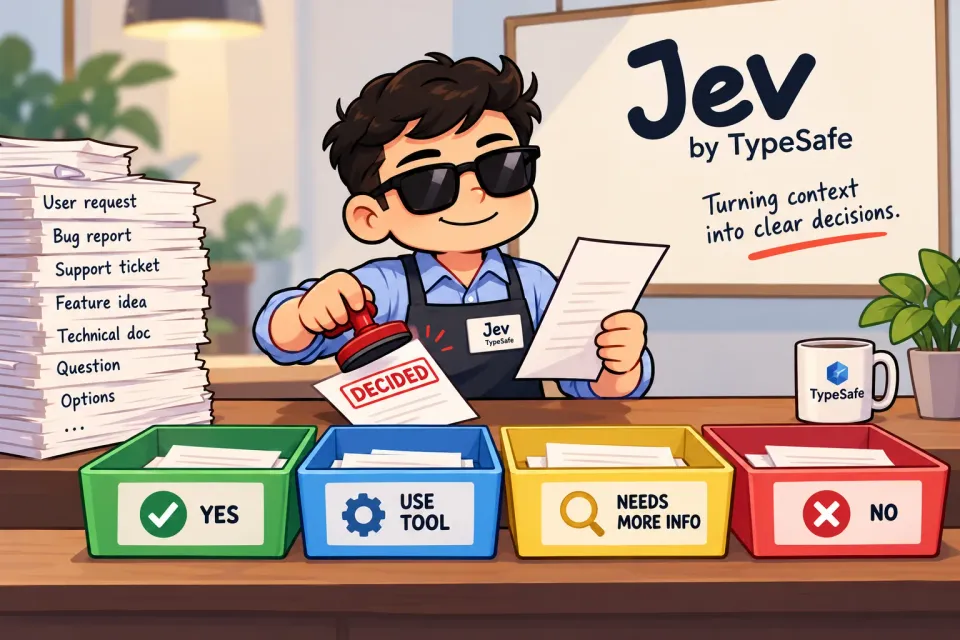
Imagine you are sorting your inbox. You open an email about your credit card statement. You know it belongs with your financial messages almost immediately. But a folder is only the first decision. Which emails deserve priority? Which need your attention right now, and which are waiting for a reply? Now imagine making those calls for every message that arrives. You could ask a chatbot to read each one and explain itself, but you need answers your code can use. And when an answer is unclear, you need a way to leave the message for yourself to review.
That is why Jev caught my attention. TypeSafe calls it a System One model. The name borrows from the idea of fast, intuitive judgments: look at the information in front of you and make one focused call. It is a different job from asking a language model to reason through a problem or write you a response.
“System One models are a class of AI models built to make fast, structured decisions that software can use directly.” — TypeSafe's System One guide
What do you give Jev?
You give it a state, which is simply the material you want it to judge. For an email, that might be the subject and body. Then you give it a question. You can ask several questions about the same state in one request, and your code gets an answer to each one. If you want to see how that request is structured, TypeSafe's guides to state and questions walk through it.
The interesting part is that you choose the shape of the answer before you ask. Jev does not write a paragraph that you have to parse. It returns a category, a position on a scale, or the probability of a yes answer, depending on which of its three question types you use.
Three ways to ask a small question
Choice: pick one option
Say an email arrives with the subject “Your September credit card statement is ready.” You ask, “Which inbox category best describes this email?” and offer promotions, finance, news, social, and other. Choice picks one option and gives you a probability for every option, plus a separate confidence value. This is the first question in my example.
Score: place it on a scale
The same email might be routine, important to review soon, or urgent enough to open now. You can describe those as levels 0, 1, and 2, then ask, “How urgently does this email need my attention?” Score gives you a position on that scale, which can sit between levels, as well as probabilities and confidence. This is the second question I asked.
Noul: ask yes or no
One more question could save you from repeatedly opening a message that needs no response: “Does this email ask me to reply to the sender?” Noul gives you a single number from 0 to 1 for the probability of yes. A value near 0.5 means yes and no are close. There is no separate confidence field for Noul. This is my third question.
Let us try the inbox questions
Here is the request I used for all three judgments about the same email:
{
  "model": "jev-latest",
  "state": {
    "subject": "Your September credit card statement is ready",
    "body": "Your September statement is now available. Sign in to review your transactions and payment due date."
  },
  "questions": {
    "inbox_category": {
      "type": "choice",
      "instructions": "Which category best describes this email?",
      "criteria": {
        "promotions": "Sales, discounts, or product marketing",
        "finance": "Banking, payments, statements, or other financial account information",
        "news": "News reports or editorial updates",
        "social": "Messages or activity updates from a social network",
        "other": "None of the other categories fit"
      }
    },
    "attention_priority": {
      "type": "score",
      "instructions": "How urgently does this email need the recipient's attention?",
      "criteria": [
        "Routine information; no action needed soon",
        "Important to review or act on, but no imminent deadline is stated",
        "Requires immediate attention because the message states an imminent deadline or consequence"
      ]
    },
    "reply_needed": {
      "type": "noul",
      "instructions": "Does this email ask the recipient to reply to the sender?"
    }
  }
}
Here is the response from that run, with only the request ID left out:
{
  "model": "jev-1.13.0",
  "answers": {
    "inbox_category": {
      "type": "choice",
      "choice": "finance",
      "confidence": 1,
      "probabilities": {
        "other": 0,
        "social": 0,
        "news": 0,
        "promotions": 0,
        "finance": 1
      },
      "stats": {}
    },
    "attention_priority": {
      "type": "score",
      "score": 0.96,
      "legend": {
        "0": "Routine information; no action needed soon",
        "1": "Important to review or act on, but no imminent deadline is stated",
        "2": "Requires immediate attention because the message states an imminent deadline or consequence"
      },
      "confidence": 0.94,
      "probabilities": {
        "0": 0.04,
        "1": 0.96,
        "2": 0
      },
      "stats": {}
    },
    "reply_needed": {
      "type": "noul",
      "noul": 0.02,
      "stats": {}
    }
  },
  "usage": {
    "input_tokens": 512,
    "output_tokens": 88
  },
  "evaluation_time_ms": 75.71121799992397
}
Jev chose finance, with all the category probability on that option. It put 96% of its attention-priority probability on level 1: worth reviewing, with no imminent deadline stated. The resulting score was 0.96, with confidence 0.94. And reply_needed came back at 0.02, a 2% probability that the email asks for a reply. So I would place this in the finance folder and leave it to review soon, without marking it for immediate attention or a reply.
The playground reported about 75.7 ms to evaluate this request. That describes one run, not a speed guarantee. The high Choice and Score confidence values describe how concentrated those probability distributions were; they do not prove Jev will always get an email right. That distinction matters when you set rules for your inbox.
Now you can imagine the next step in your own inbox. Your code could use Choice to pick a folder, Score to bring emails needing immediate attention to the top, and Noul to flag those asking for a reply. A less clear answer could stay in your inbox for review. You decide how much certainty is enough before moving or flagging anything automatically. Jev makes each small judgment, and your code stays in charge of the action.
What I hope comes next
I am excited by the possibility of using a general-purpose model for decisions like this without training a dedicated classifier for every new folder or workflow. I can describe the task in the request instead of fine-tuning a private copy of Jev for my inbox. That is how Jev's model guide describes customizing it.
I would love to see smaller, cheaper, open-source models take this idea further. I am curious about what it could look like for images, audio, and video too. Those are hopes, not features I can promise you today: you cannot send Jev those inputs. For now, even a simple inbox example gives me plenty to think about: a model can make focused judgments, show you its uncertainty, and hand the results back to your code.